

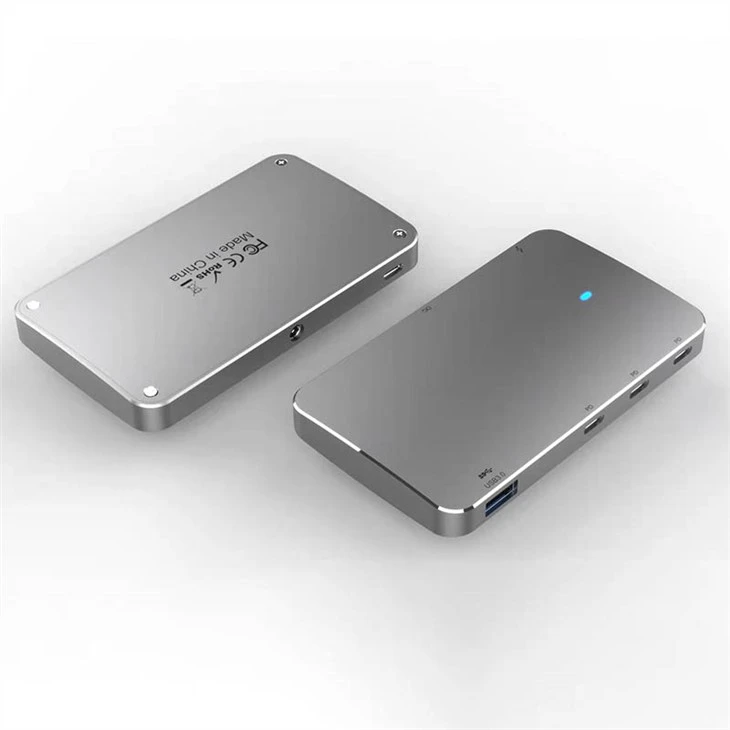

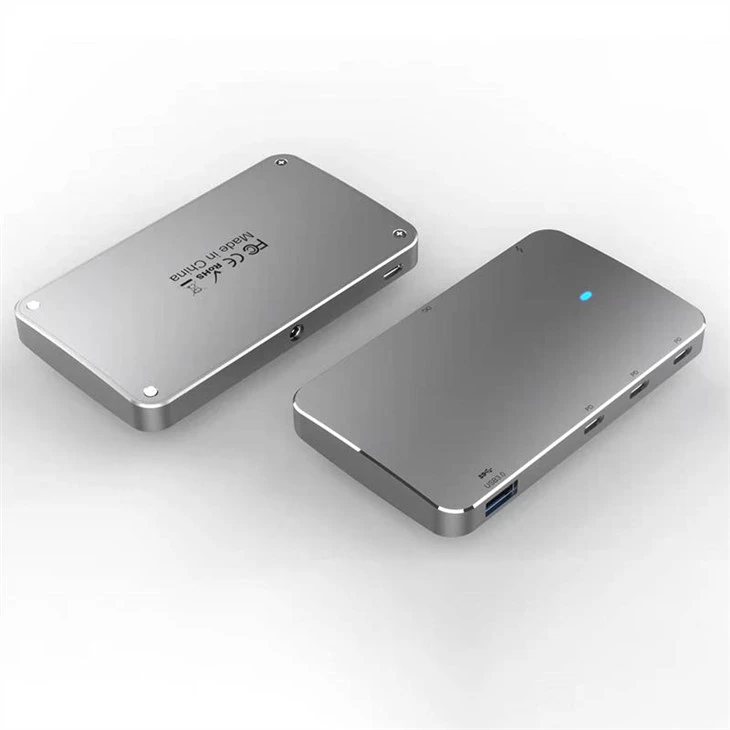
USB 4 Thunderbolt4 Compatible Mini Dock HUB
Description
Technical Parameters
ThunderboltTM / USB4.0 is a high-speed protocol that can dynamically adjust data and video bandwidth depending on the accessory and/or application. It is now the basis of the USB4.0 protocol specification.ThunderboltTM 4 and USB4.0 products will use the same underlying protocol specification to improve compatibility for USB-C based products.
Upward: Thunderbolt 4 / USB4 . 40Gbps and DC Port x 1
Downward : USB-C (TBT4/U4.0) - 40Gbps *3 + USB3.1 TYPE-A Gen2 10Gbps
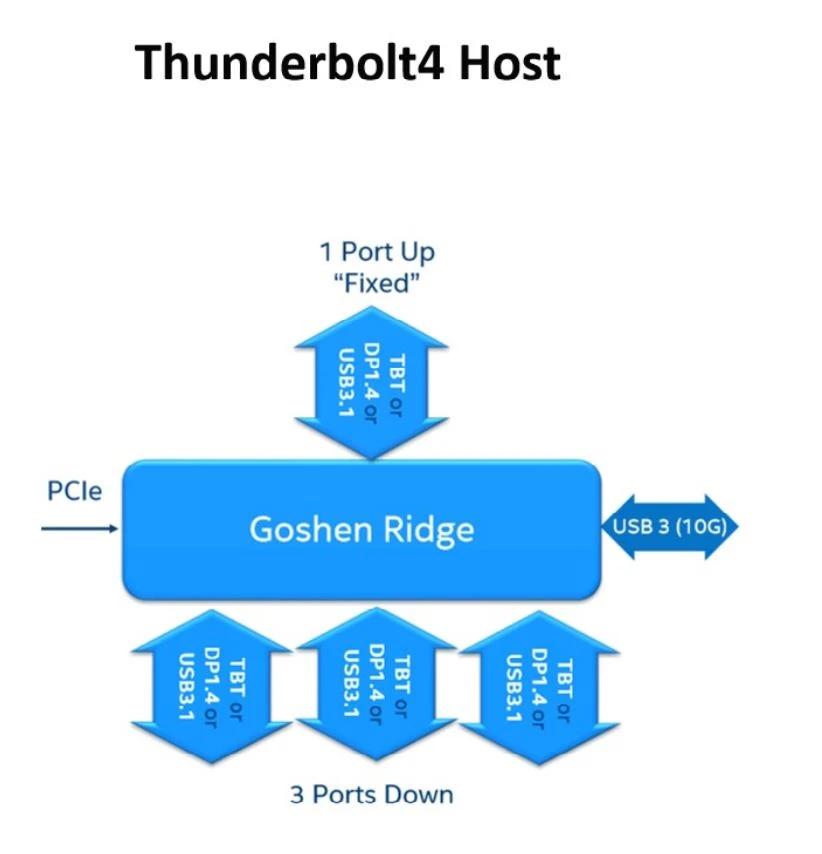
Note: AR Host need update the FW to support ThunderboltTM 4 / USB4.0 device.
Description:
ThunderboltTM 4 port (UFP) for connection to computer – port is ‘fixed’ as UFP.
Three ThunderboltTM 4 ports (DFP) for connection to accessories.
Supports ThunderboltTM, USB4.0, USB3 (10Gbs), Native DP, USB3/DP on all ports.
1x USB3 (10Gbs) side port.
Compatible with ThunderboltTM 4, USB4.0, USB3/DP PCs and ThunderboltTM 3 Macs.
The Upstream Port support ThunderboltTM 4 / USB4.0 / ThunderboltTM 3, Compatibly the WIN10, macOS 11(Big Sur) and Latest OS.
The Upstream Port is ThunderboltTM 4 / USB4.0, a maximum of 8K@30Hz can be output through a single downstream Type-C port, and a maximum of 4K@60Hz can be output through two downstream Type-C ports at the same time. USB-A supports 10Gbps,5V1A.
The Upstream Port is ThunderboltTM 3, the downstream Type-C supports one channel ThunderboltTM / USB4.0 signal, and the rest port supports DP or USB signal.
The Upstream Port is USB, and the Downstream Port are all corresponding USB signals.
Power Budget Table :
| TYPE-C*3 | 14.25W(4.75V@3A) * 3 |
| Cable | 0.6W (0.2V@3A) |
| Chipset JHL8440 | 1.9W |
| CYPD5235*2 | 0.05W *2 |
| CY7C65219 | 0.05W |
| USB-A | Support USB3.1 Gen2 for 10Ghbps and VOUT 5V1A |
| Total Consume | 50.4W + 85W (For UFP) |
| Applications to consider | |
| Designed for performance bus powered Thunderbolt 4 or USB4.0 Devices. | |
| Includes connector for USB-C Expansion application | |
| Focused on Data Delivery | |
Frequently Asked Questions for USB4.0 / Thunderbolt 4 Dock
Q1: Will this dock work with any laptop? How do I make sure my laptop works with this dock? What kind of cable should I use to connect the dock to my laptop?
A1: This dock works with Windows 10 laptops equipped with Thunderbolt 4, and MacBooks running macOS 11 (Big Sur) or later. It doesn’t work with Linux or Chrome OS laptops, Thunderbolt 3 Windows laptops, or M1 MacBooks. It’s recommended that you use the included Thunderbolt 4 cable. If you need to use a different cable (due to loss etc.), then another Thunderbolt 4 cable would also be compatible.
Q2: I have a Windows 10 laptop with Thunderbolt 3 ports, will it work with this dock?
A2: For Windows 10 laptops with Thunderbolt 3 ports, we’d recommend a Thunderbolt 3 dock.
Q3: I have a laptop with two Thunderbolt 4 ports, but I have 2 external displays that only have HDMI inputs. How do I use them with this dock?
A3: You can use either a USB-C to HDMI cable or a USB-C to HDMI adapter to connect the dock to your external displays.
Q4: How many external displays can this dock support and what are the maximum resolutions?
A4: This dock supports connection to two external monitors via the USB-C Thunderbolt 4 downstream ports.
Below are the maximum resolutions:
1) Single monitor: Windows - 8K (7680 x 4320 @ 30Hz); macOS - 5K (5120 x 2880 @ 60Hz)
2) Dual monitor: 4K (3840 x 2160 @ 60Hz)
Q5: Why does the dock feel warm?
A5: When charging or transferring data at high speed, the dock’s temperature may increase. This heat is dissipated through the aluminum exterior, so it may feel warm to the touch. Don't worry, this is within the normal limits of the dock’s operation.
Q6: The charging output of the dock is listed as 85W, which is lower than my MacBook charger’s output. Will the dock still be able to power my MacBook?
A6: This dock supports up to 85W of charging via the Thunderbolt 4 upstream port (indicated by a computer icon). Power is dynamically distributed between this port and other power ports depending on the power requirements of connected devices. Therefore, sometimes the charging speed will be slower than the original laptop charger.


Hot Tags: usb 4 thunderbolt4 compatible mini dock hub, China, factory, suppliers, manufacturers, OEM,ODM Service, wholesale, brands, low price, customized, bulk, dropshipping, in stock, online sales, best brand, best sale, made in China, Usb c To Displayport 1 2 Cable, DisplayPort To HDMI Cable Adapter 4k60hz, 10 in 1 usb c hub, DP male to hdmi female 4k, USB C Adapter HDMI VGA Ethernet, Universal Card Reader HUB USB C
Send Inquiry
You Might Also Like


